
Reporting
Asset Reporting Suite
Five core reports — stops, trips, mileage, speed, and overdue assets.
The Argus Asset Reporting Suite delivers the five operational reports that every fleet needs: Stop, Trip, Mileage, Overspeed, and Asset Overdue. Together they give you a complete, auditable picture of where your assets go, how they are driven, and whether anything has gone off the grid. All reports can be run on demand or scheduled for automated delivery — with CSV and PDF export for every format your business requires.
Key capabilities
- Stop Report: every stop location, duration, travel time, and distance between stops
- Trip Report: all locations visited, arrival and departure times, km between stops
- Mileage Report: daily, weekly, or monthly with estimated fuel cost
- Overspeed Report: events ranked by severity with map evidence
- Asset Overdue Report: flags assets not reporting within a configured time frame
- Automated scheduling — run once or on a recurring basis
- CSV and PDF export for all reports
How it works
See it in practice.
How Asset Reporting Suite fits into your daily operations — step by step.
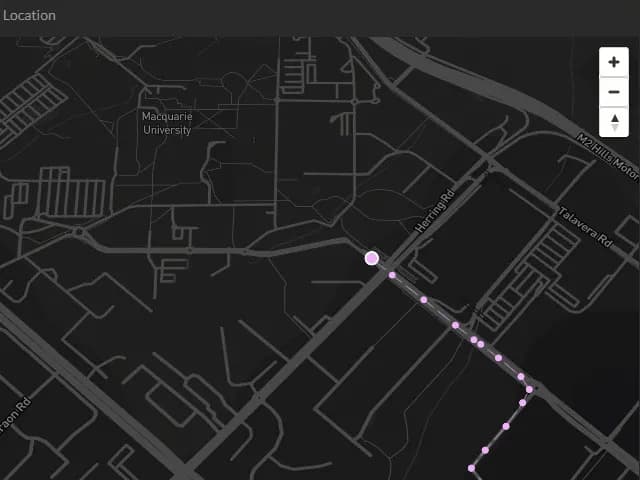
GPS data is captured continuously
Every position, stop, and trip recorded by your Argus GPS devices feeds automatically into the reporting engine — no manual input required at any stage.

Select the report, assets, and date range
Choose the report type — Stop, Trip, Mileage, Overspeed, or Asset Overdue — select the relevant vehicles or groups, and set your date range to generate the data you need.

Review results in the console or export
Reports display in the Argus web console for immediate review, and can be exported to CSV for spreadsheet analysis or PDF for management reporting and audit purposes.

Schedule for automatic delivery
Set any report to run automatically on a daily, weekly, or monthly basis and deliver directly to nominated email addresses — eliminating the need to run reports manually.
Capabilities
What it does
A closer look at what's included — and the specific problems each capability solves.
Stop Report
Logs every stop your vehicles make — location, arrival time, departure time, duration, and distance travelled between stops. Invaluable for verifying job attendance and driver productivity.
Trip Report
Documents every location visited with arrival and departure times, kilometres between stops, and total trip duration — providing a complete itinerary for any vehicle over any period.
Mileage Report
Breaks down kilometres driven by vehicle, driver, or group on a daily, weekly, or monthly basis — with estimated fuel cost figures to support fleet cost analysis.
Overspeed Report
Ranks speed events by severity, showing which vehicles and drivers have exceeded configured thresholds, with map evidence for each event to support driver coaching.
Asset Overdue Report
Flags any asset that has not reported its position within a user-configured time frame — providing early warning of GPS offline events, breakdowns, or potential theft.
Automated scheduling and CSV/PDF export
Every report can be scheduled to run automatically and delivered by email. All reports export to CSV for analysis or PDF for management and compliance reporting.
Business outcomes
The results that matter
Concrete business value your team experiences from day one.
- Prove job attendance and delivery completion with GPS-verified stop and trip records
- Identify speeding patterns and support driver coaching with ranked overspeed data
- Accurately track mileage for tax, billing, FBT, and fleet cost management
- Get early warning of offline assets before a missing vehicle becomes a crisis
- Eliminate manual report preparation with automated scheduling and delivery
- Provide auditors, managers, and insurers with clean, exportable fleet data
Explore further
Related features
These capabilities work best together — explore what pairs naturally with this feature.
FAQ
Frequently asked questions
What reports can I run on my fleet with Argus Tracking?
Can Argus fleet reports be scheduled and emailed automatically?
How do I track vehicle mileage for FBT and tax in New Zealand?
Does Argus let me export fleet reports to CSV or PDF?
Ready to put Asset Reporting Suite to work?
Book a free demo with our NZ-based team and see exactly how Argus delivers results for your fleet.